AI tool for customer support team
BrightSide A concept project exploring how AI can simplify and improve customer support tools.
Final Designs Screeens:
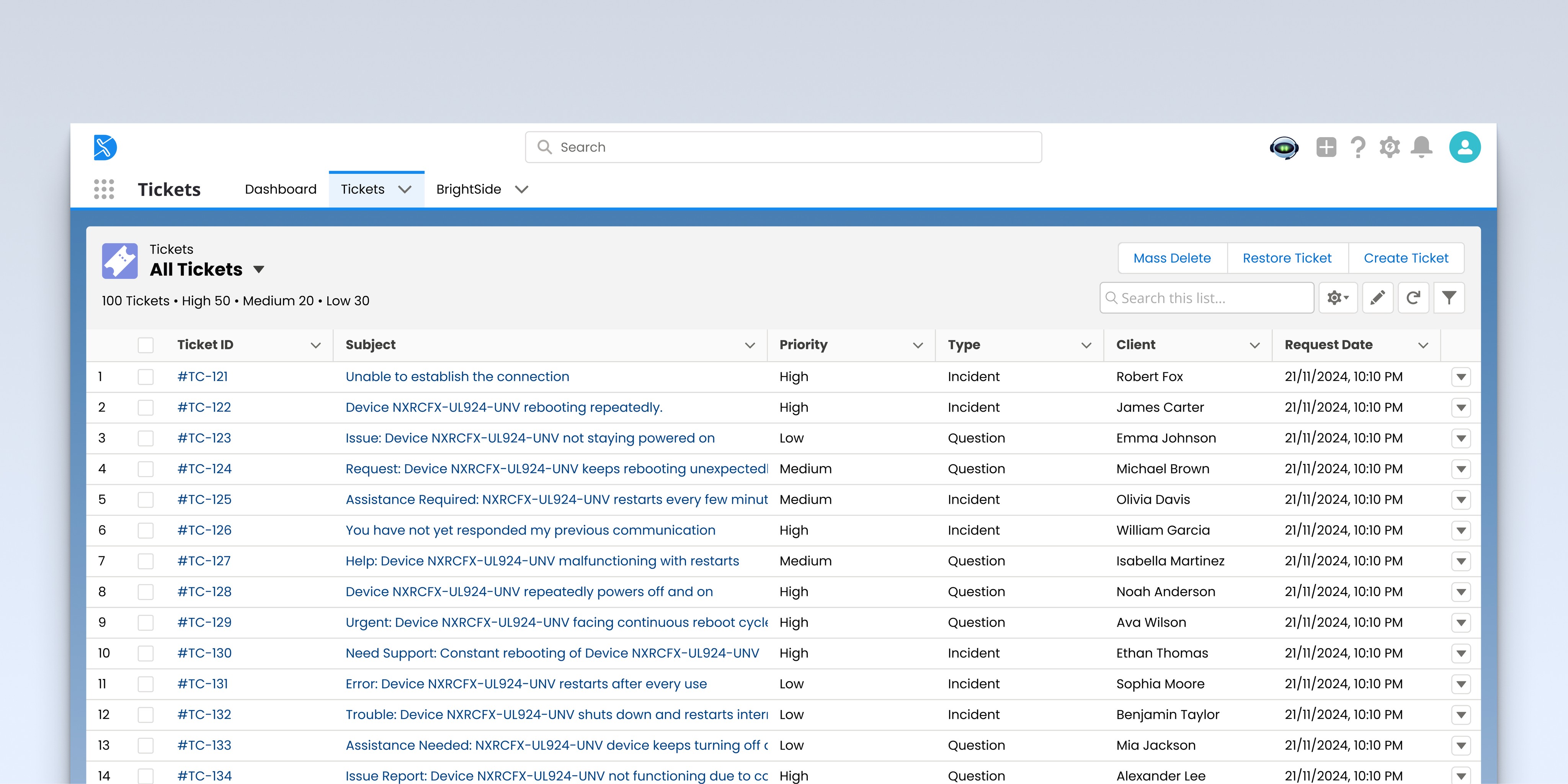
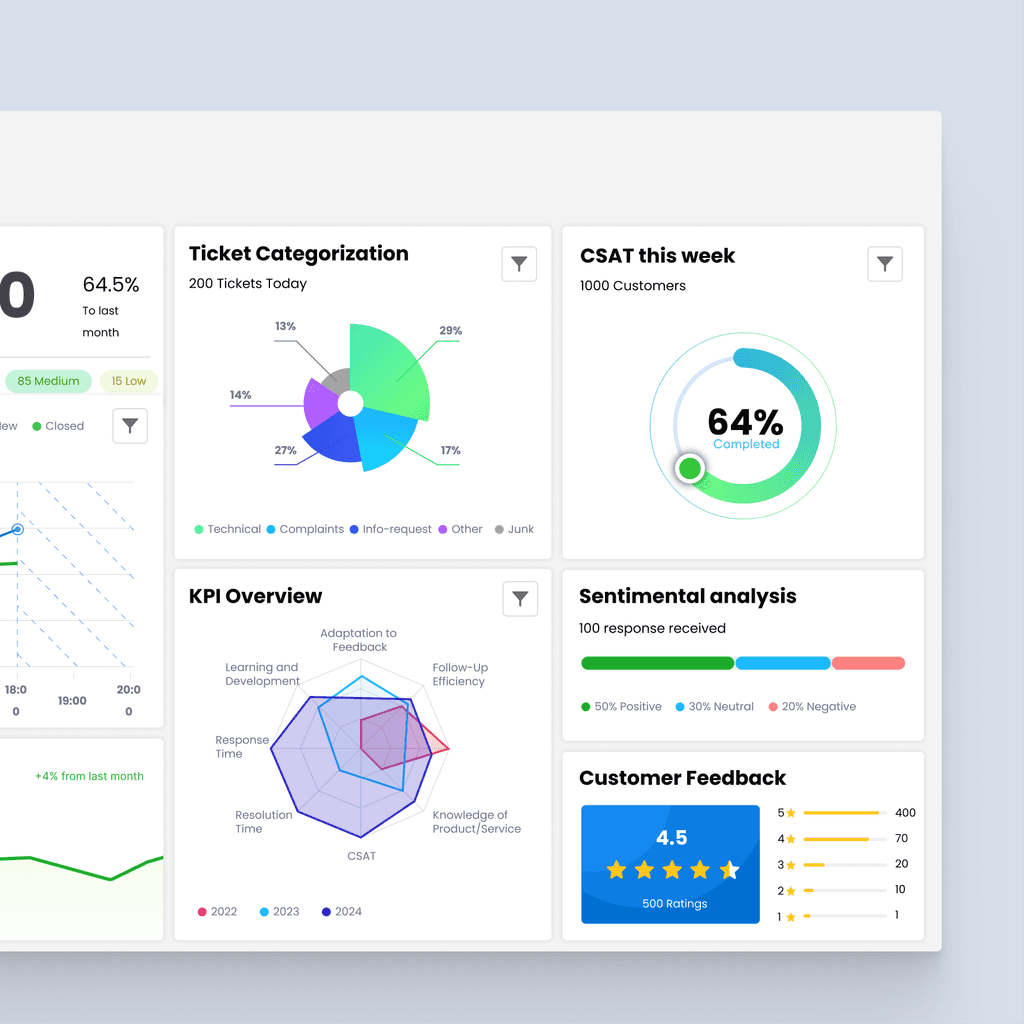
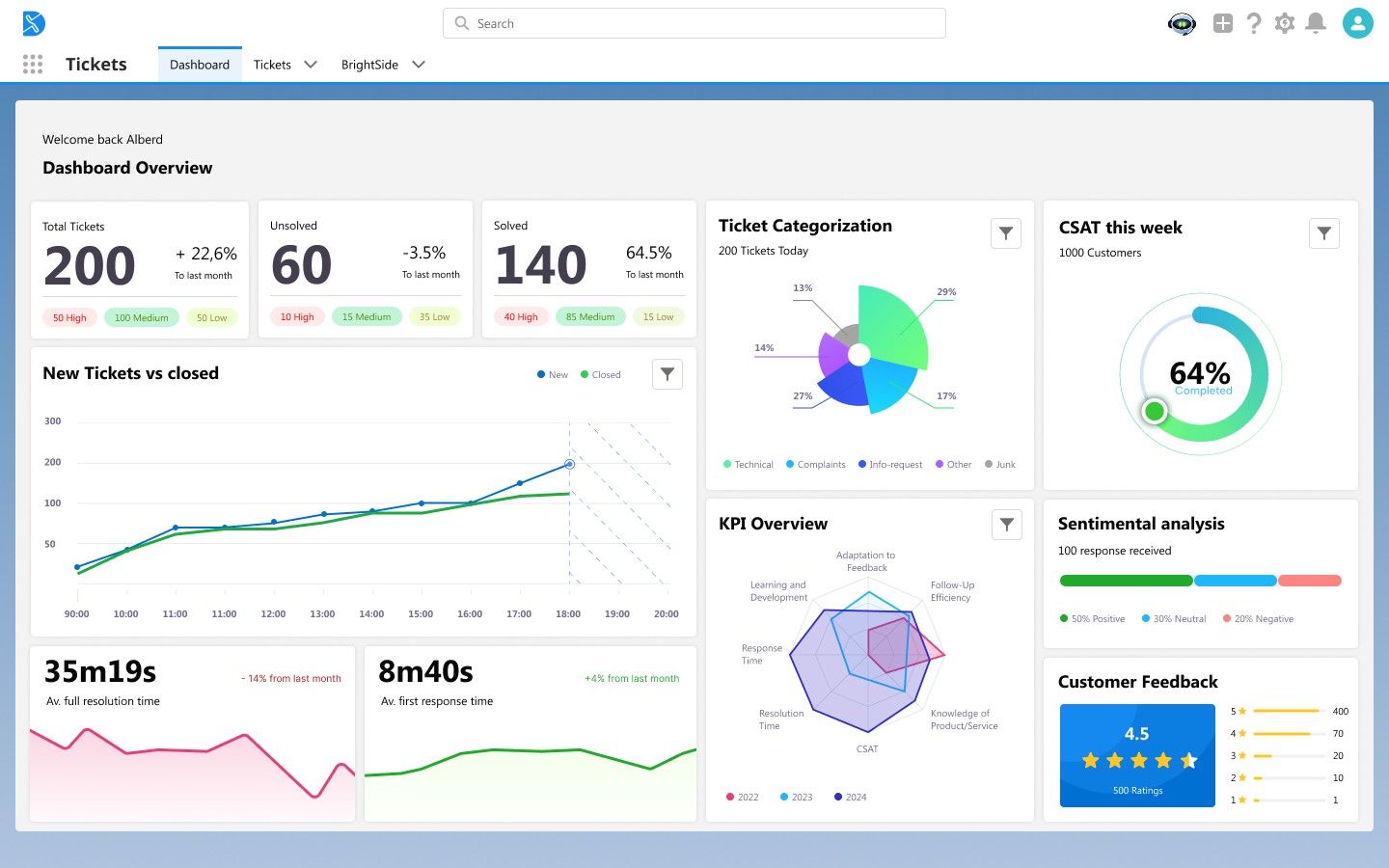
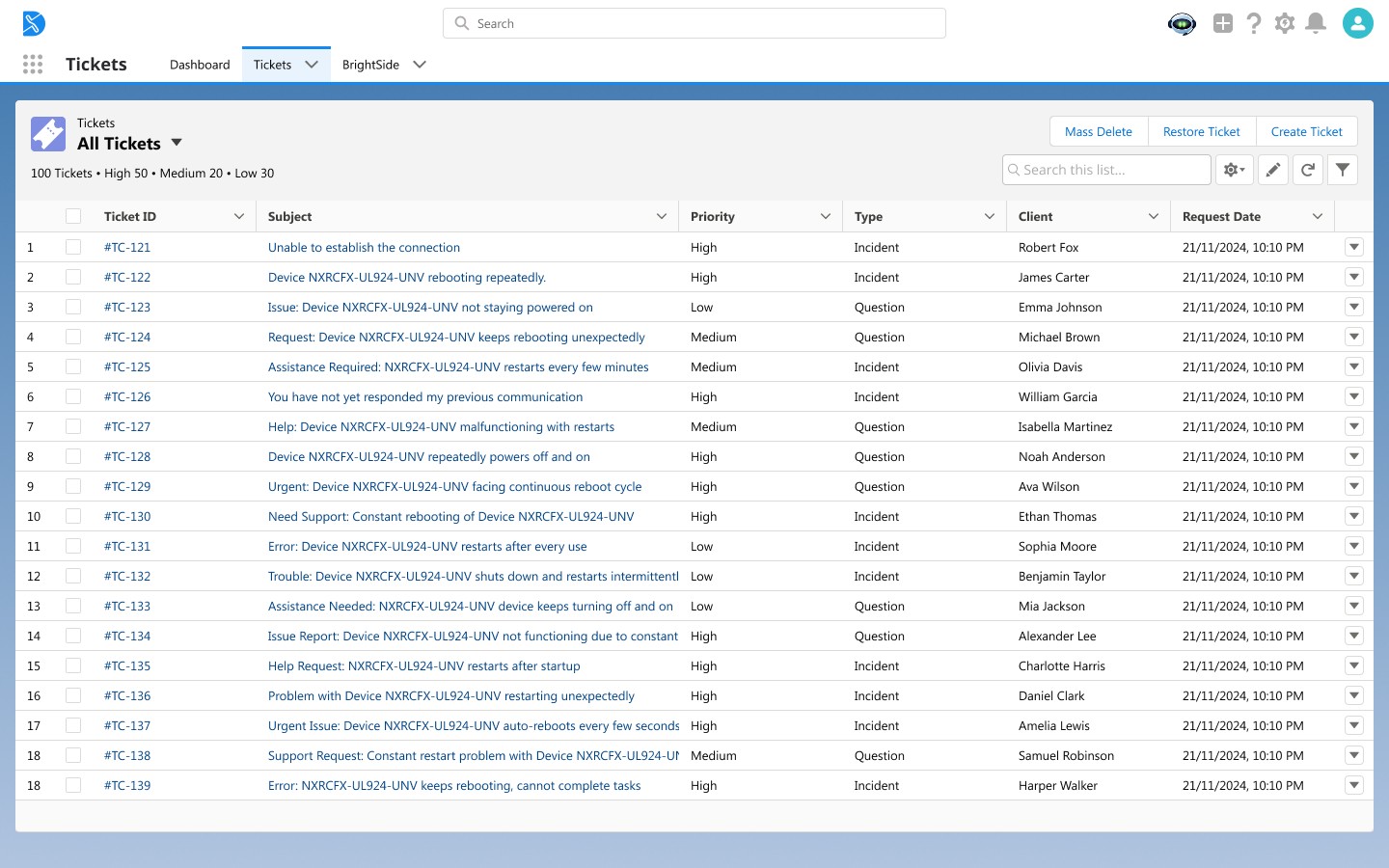
To demonstrate how the AI assistant (BrightSide) could integrate into existing support tools, I recreated simplified versions of a ticket list view and a dashboard view inspired by Salesforce. These served as the context for exploring agent workflows.
My Contribution
The main design focus was on the BrightSide AI tool — how it appears within these spaces, how agents interact with it, and how it reduces friction in daily ticket handling.
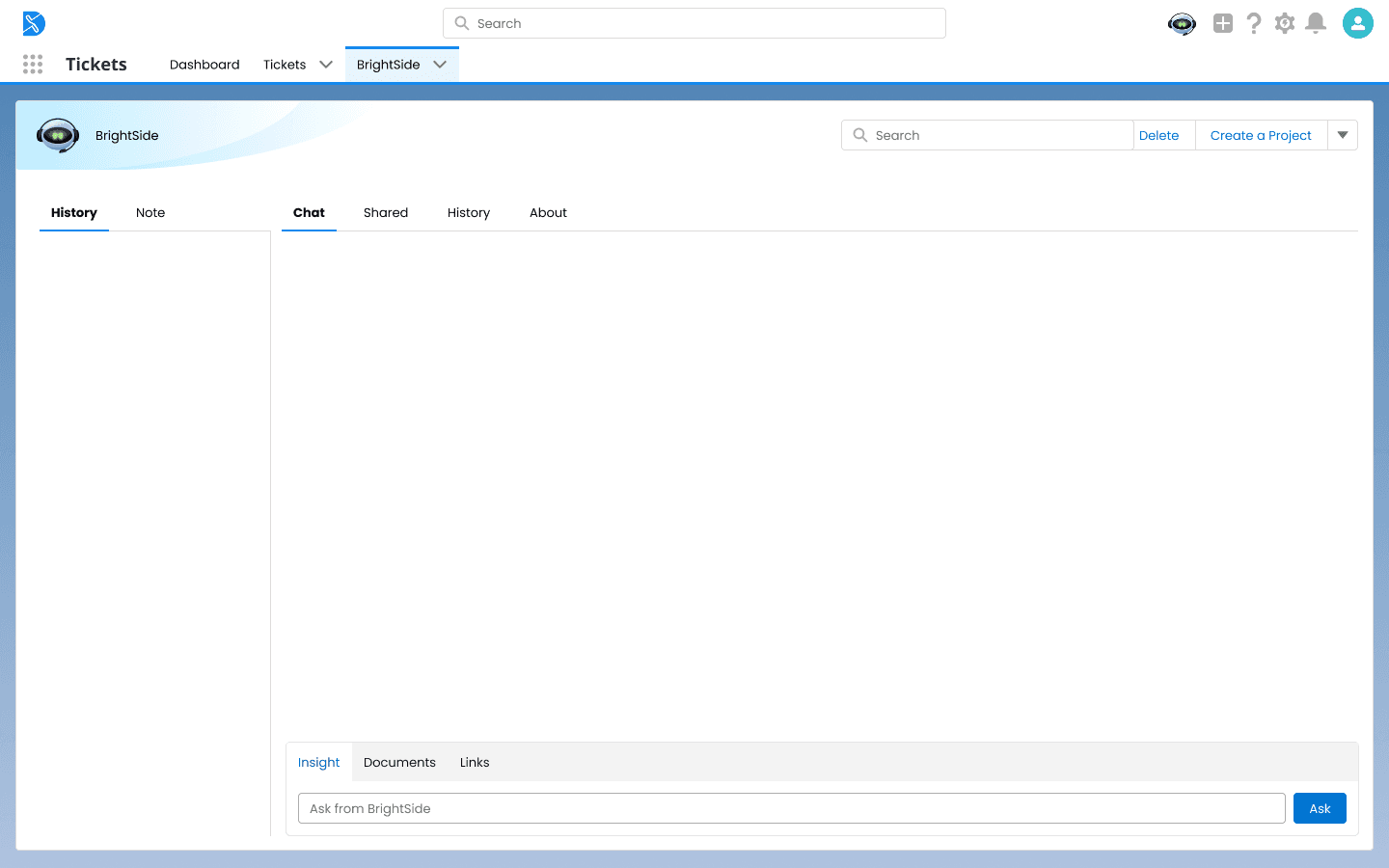
I designed the workflows for:
Assistance in Case Management – Complex Issue Resolution
Performance Insight & Goal-Setting Workflow
Real-Time Sentiment Analysis – Proactive Customer Care
Assistance in Case Management – Complex Issue Resolution
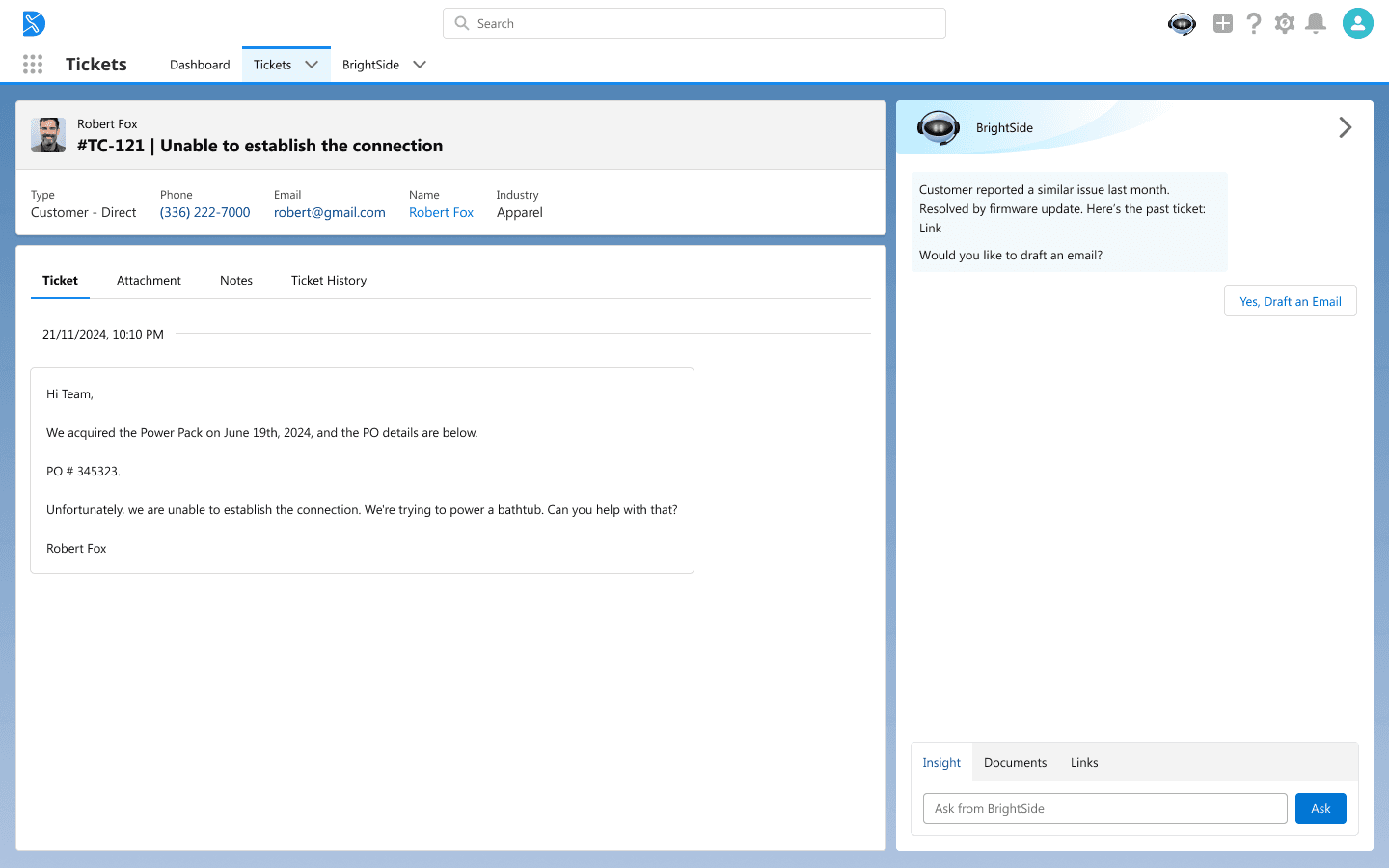
AI identifies similar past issue → BrightSide surfaces insights, including a relevant ticket and solution, and prompts the agent to draft a response.
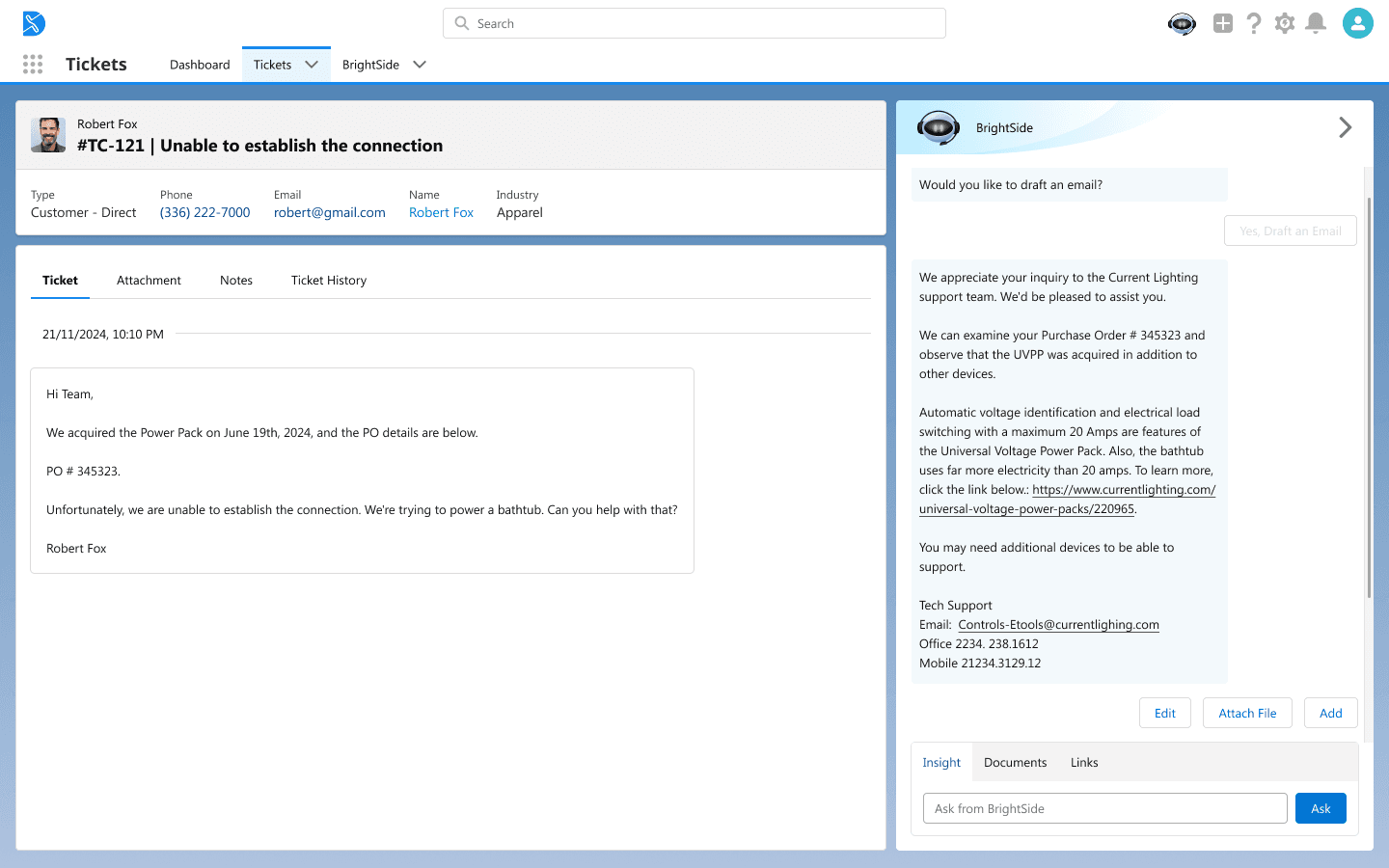
AI drafts initial email → The assistant generates a ready-to-use response with product details and helpful links, editable by the agent.
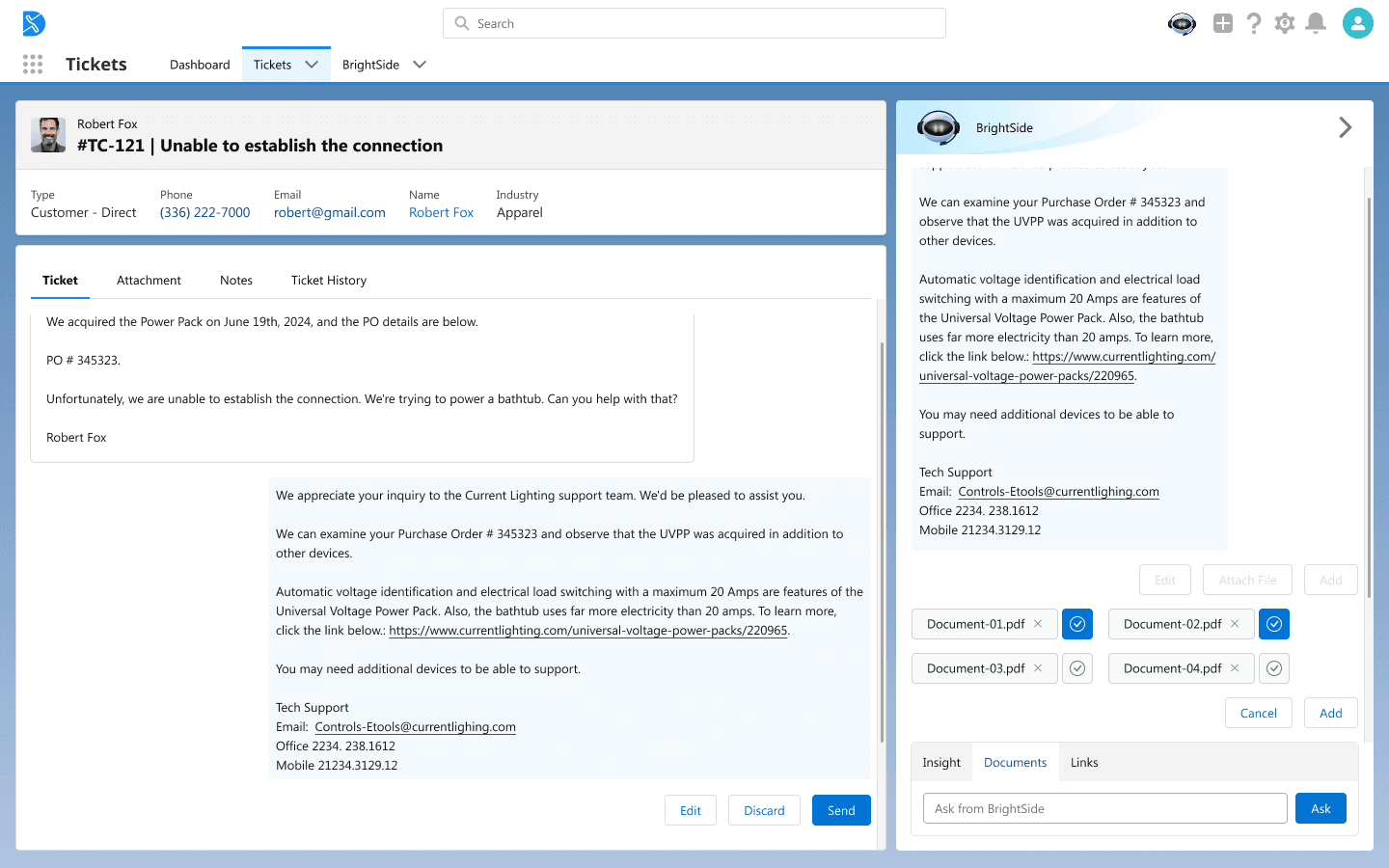
Email added to ticket view → The drafted response is inserted into the chat for review, where the agent can still make changes. Attachments added before sending → Agent can search, attach, and review supporting documents before finalizing the reply.
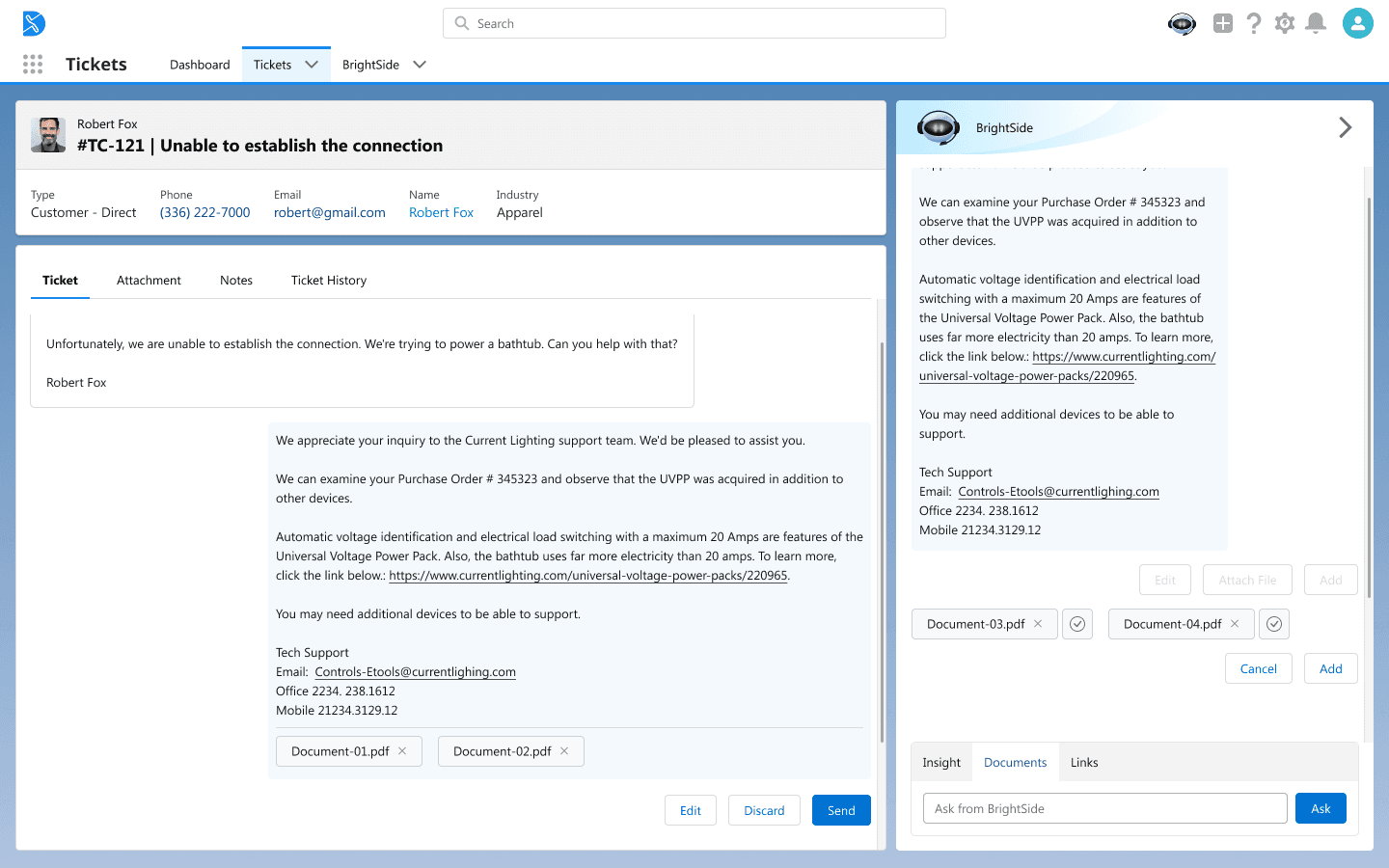
Final review and send → The completed email with attachments is ready to send, ensuring faster and more accurate support.
Performance Insight & Goal-Setting Workflow
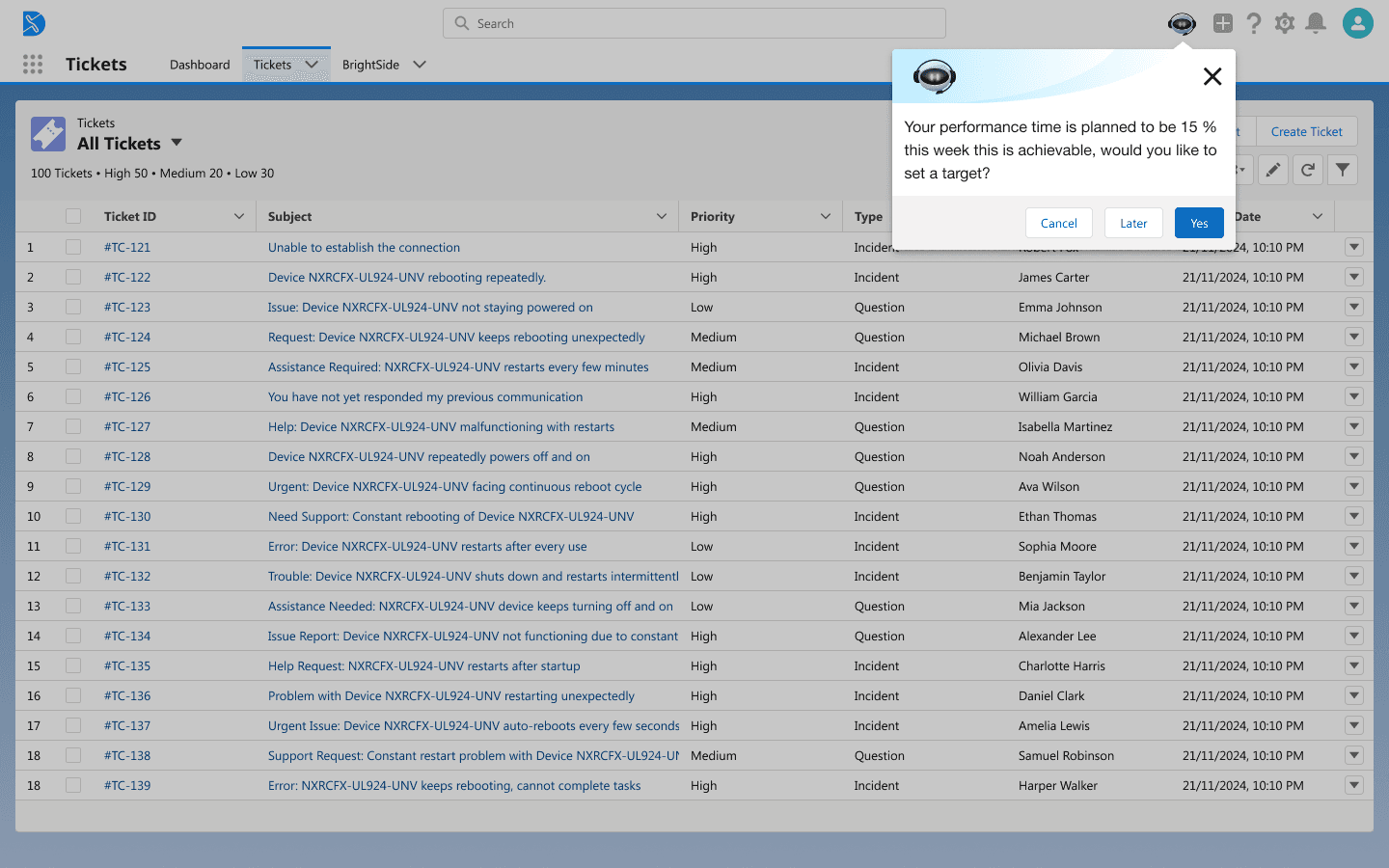
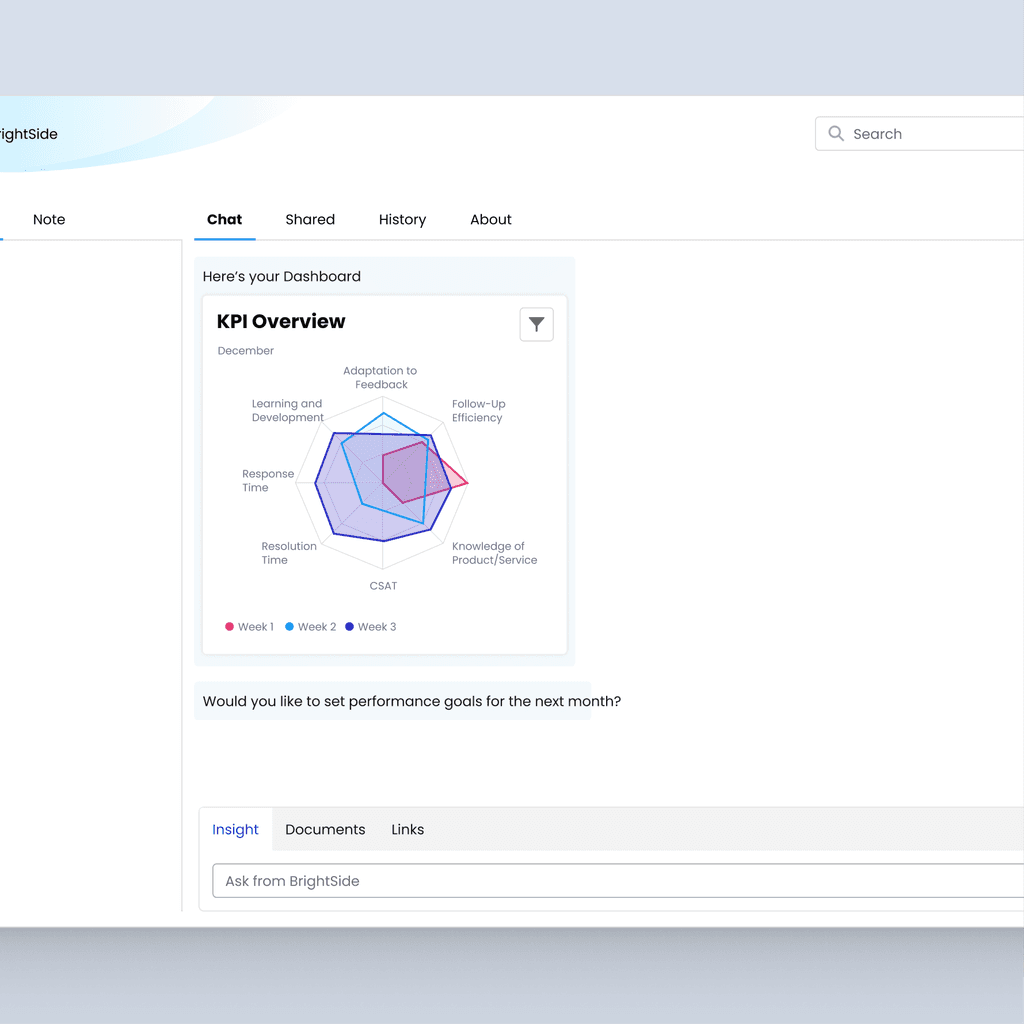
The AI tool proactively analyzes performance data and prompts the user to set a target for the upcoming week.
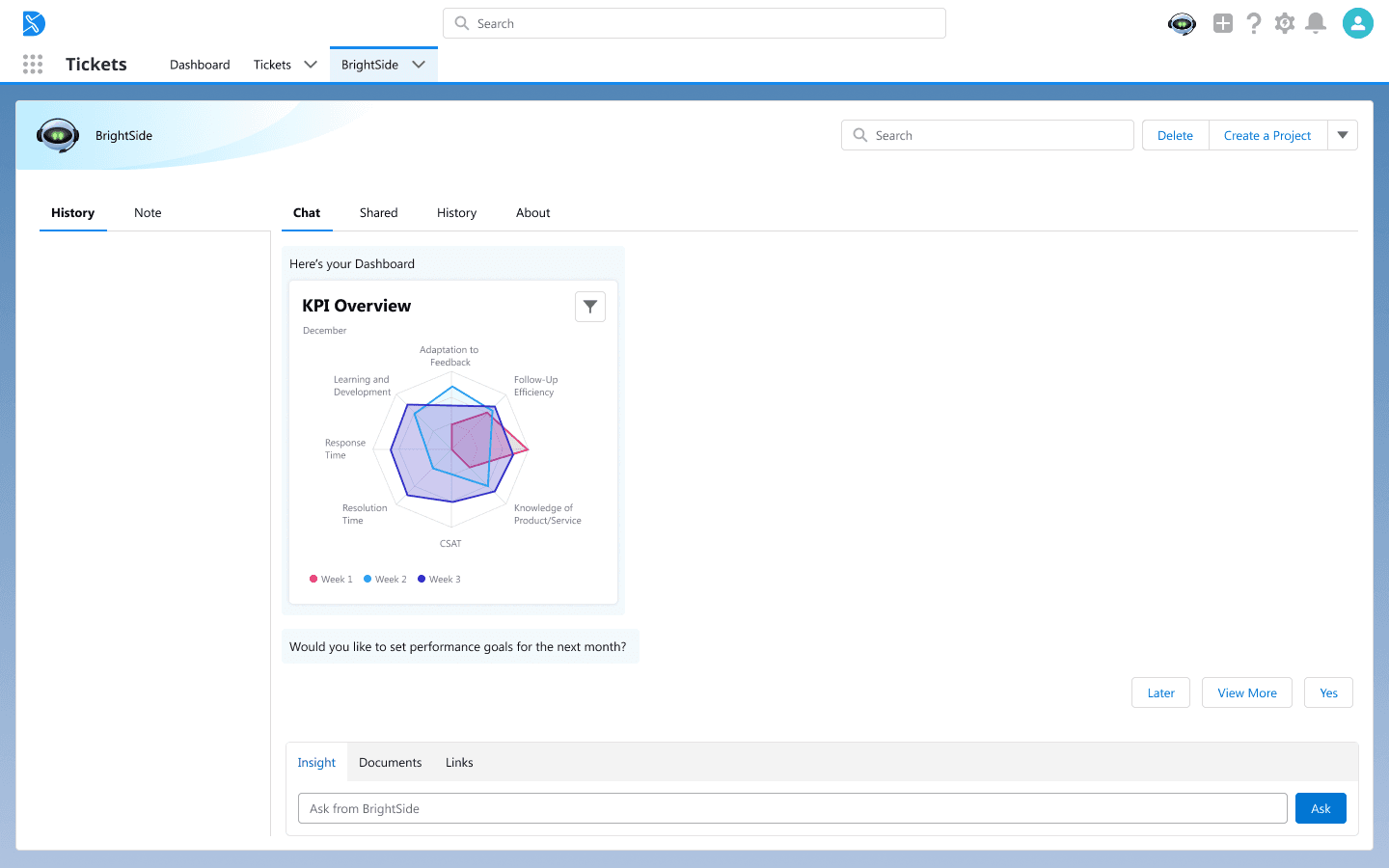
The AI chat displays a clear overview of the user’s performance metrics, including the radar chart that shows how different KPIs have trended.
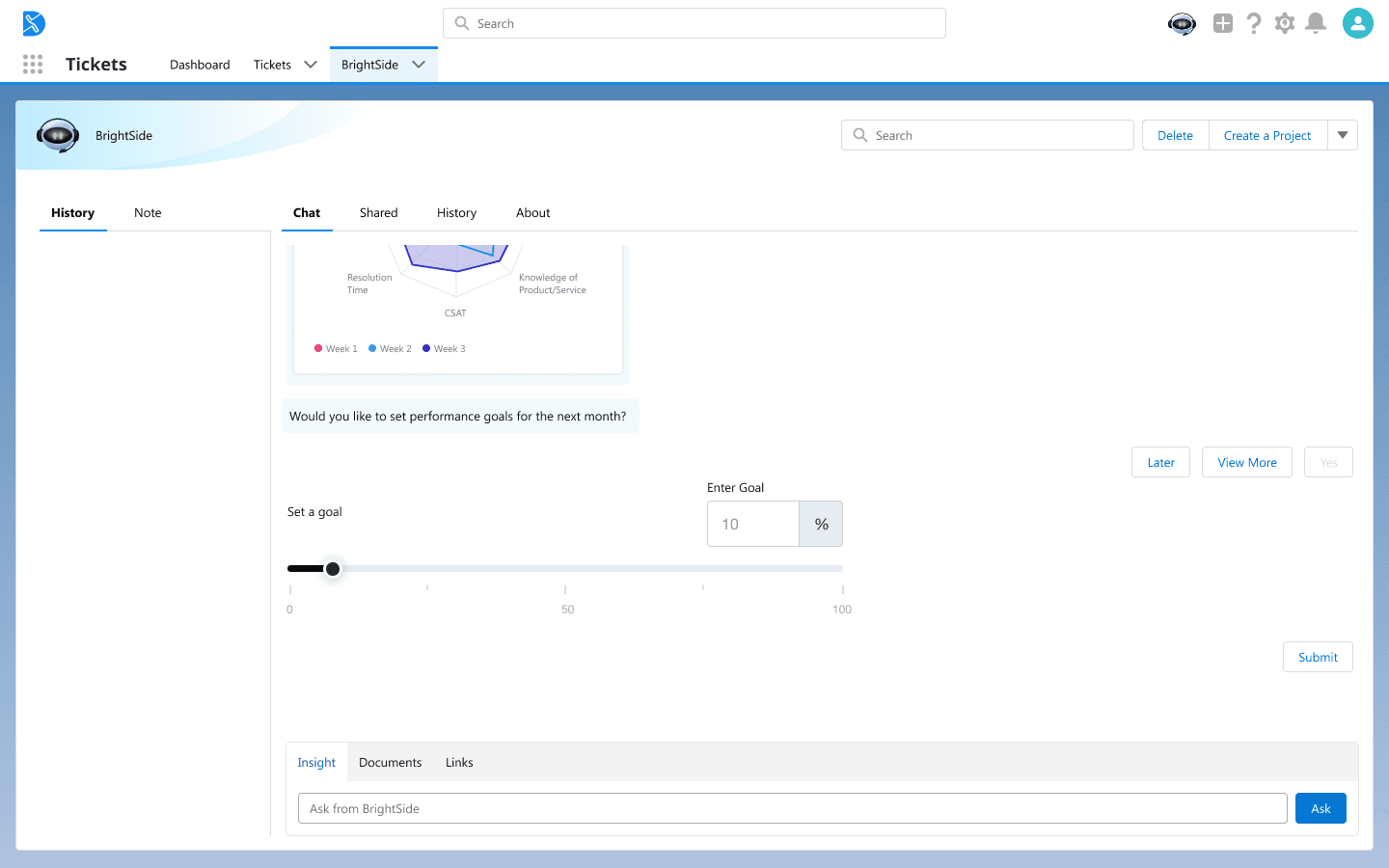
The user can now set a specific performance goal using an intuitive slider and input field before submitting their new target.
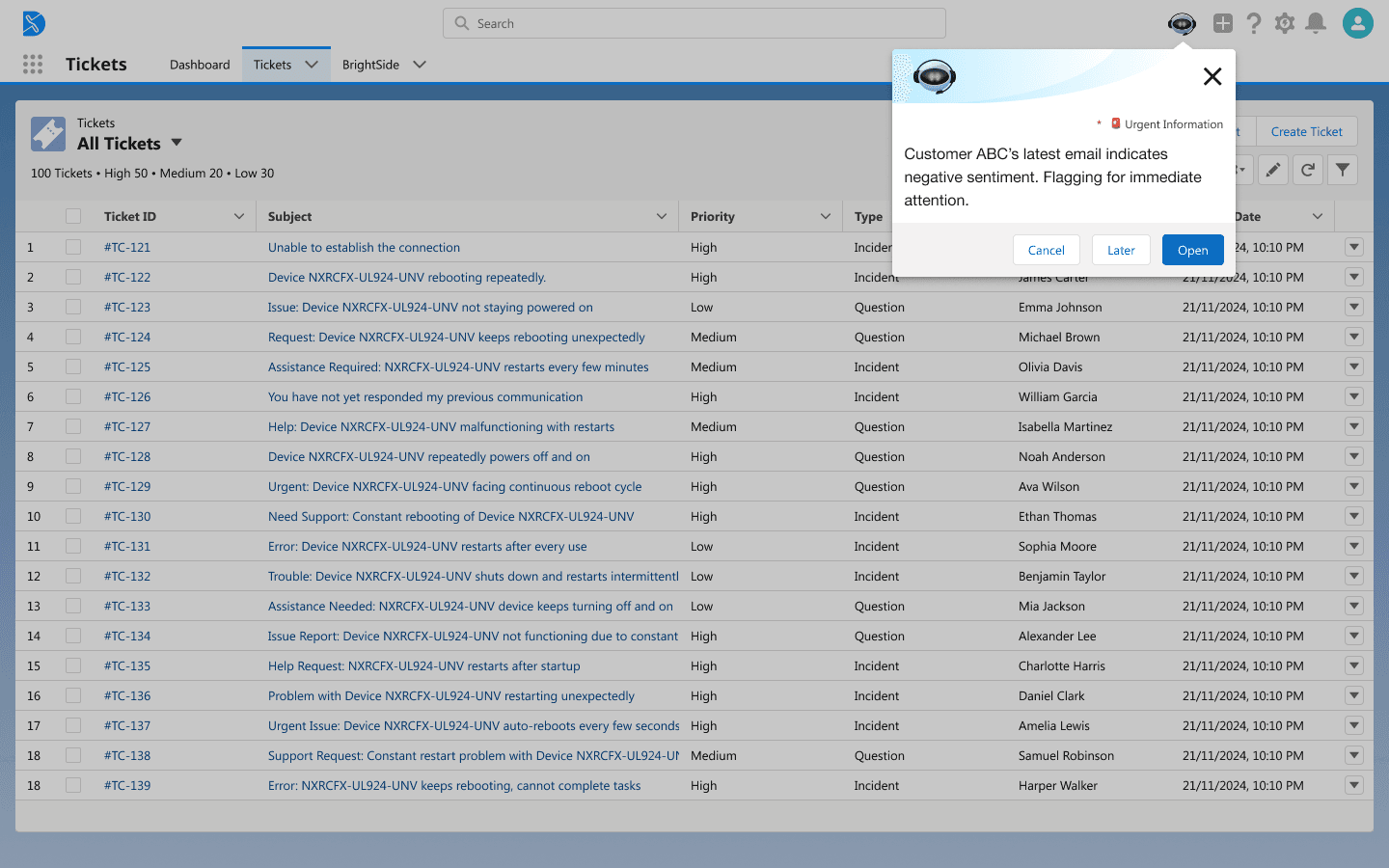
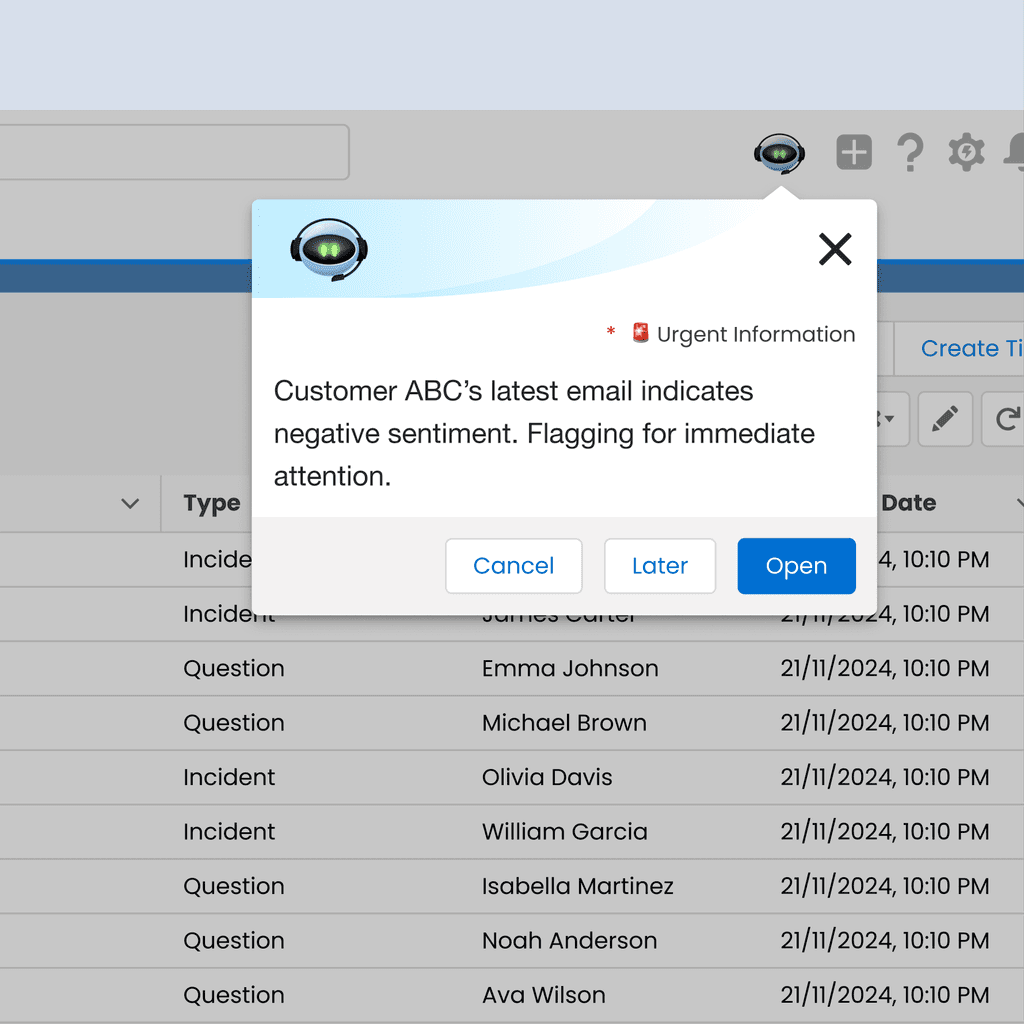
The AI tool flags a new message with negative sentiment, prompting the user for immediate action.
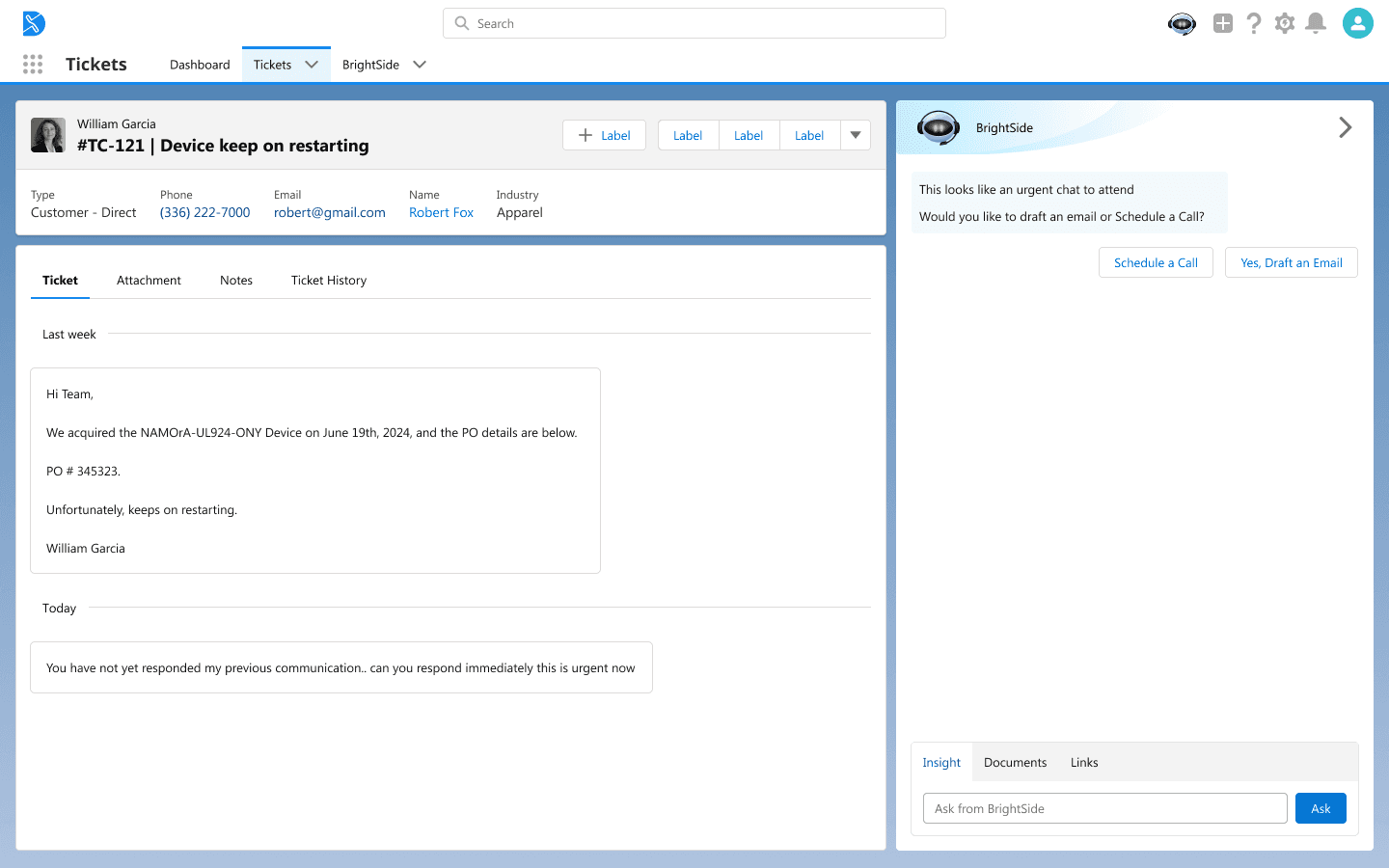
After the alert, the AI tool suggests two immediate action options—scheduling a call or drafting an email—to address the urgent issue.
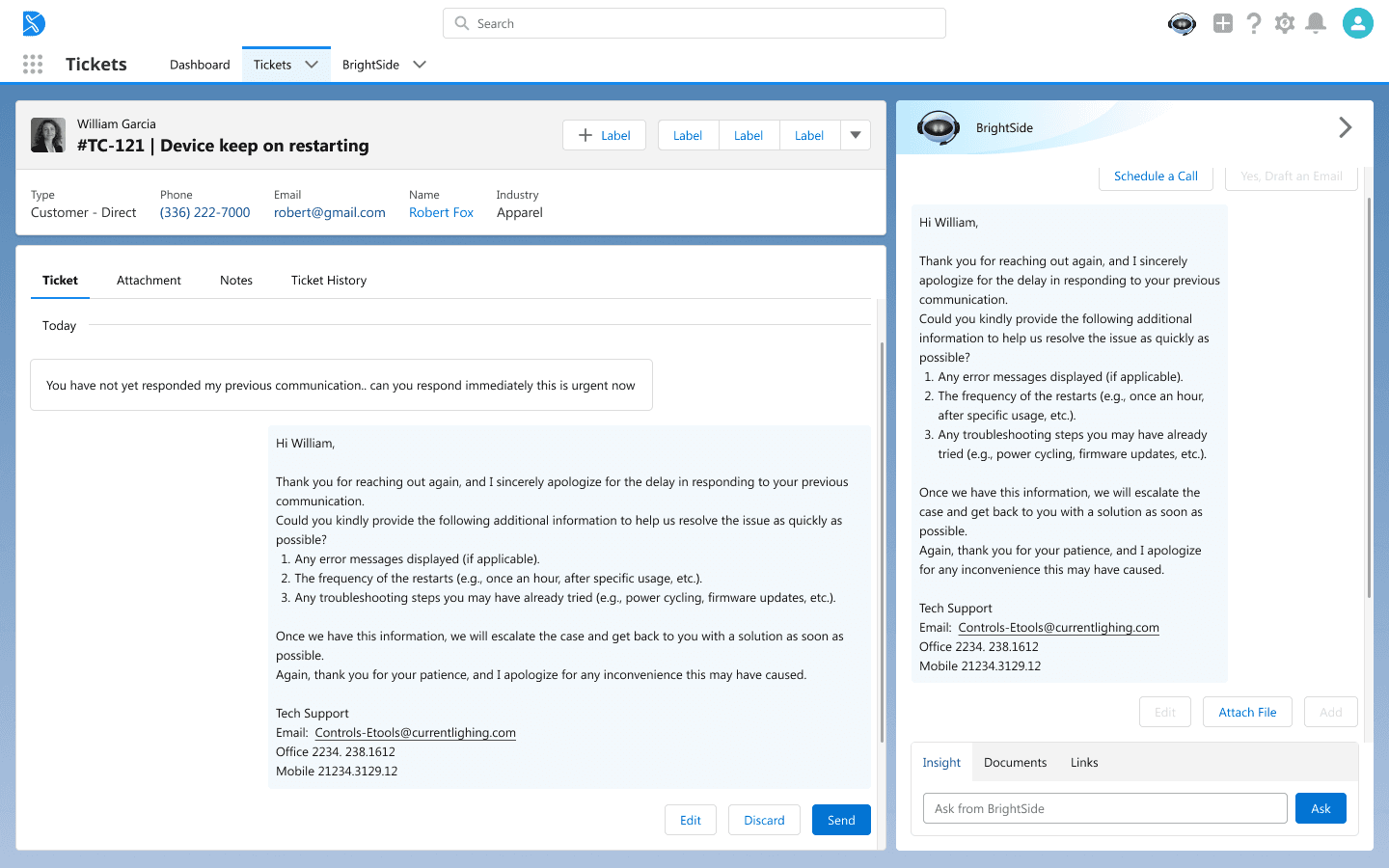
To save time, the AI generates a personalized email draft for the user to review and send, reducing response time for urgent tickets.
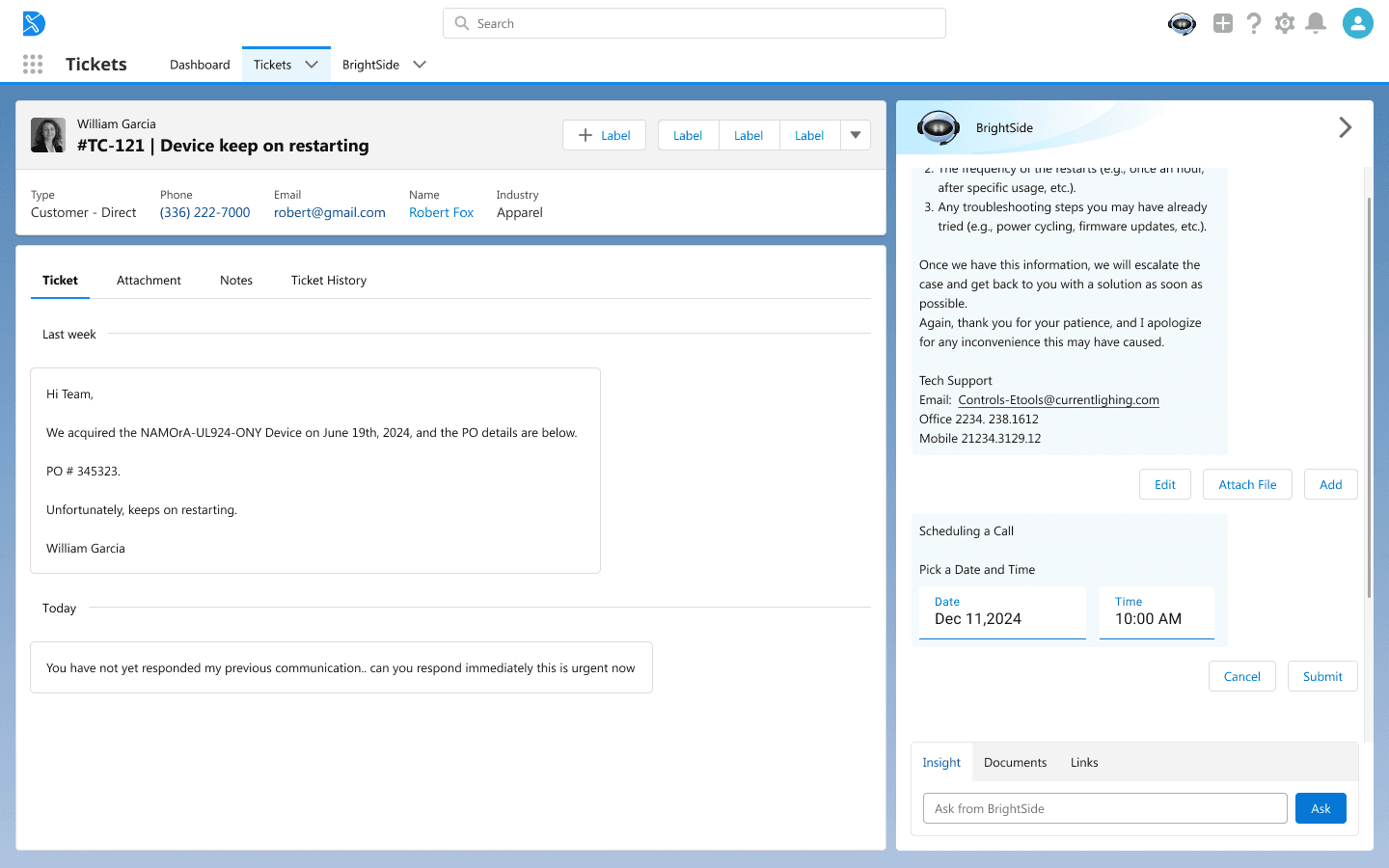
As an alternative action, the user schedules a direct call with the customer, leveraging the AI to streamline the booking process.